Thursday, October 4, 2007

Set up Your Workspace

In this first post I want to introduce you how to set up a workspace to design and manage your web projects using Dreamweaver (for coding), MySql (database) and PHP (server-side language).


Before you begin you need a software to edit web pages, a software to manipulate image, a local web server to test PHP pages, and a database where to store all data.

Dreamweaver
I think Dreamweaver is the best solution to design and edit code for your website. The current version, CS3, is easier to use, and more powerful than the previous version, but it has a rather elevated price ($399). You can download a trial copy from the Adobe website.

Photoshop / The GIMP
To create graphical elements for your pages I suggest to use Photoshop or The GIMP. The GIMP is a open source software to manipulate images, it's free and available for Win, Mac and Linux operating systems.

Server and Database
To manage you server locally and to test your website written with PHP, you can download and install Apache. To store data install MySQL database and phpMyAdmin to create and manage MySQL database.

Mac User?
If you are a Mac user, I suggest to use MAMP to configure your local webserver, MySQL and phpMyAdmin. It's simple, fast and free.

Wednesday, October 3, 2007

Tutorials and resources: the best of woork

The following list is the table of contents of all tutorials you can find on woork. Tutorials are about web programming, web design, css, frameworks, database and other related topics.

The Woork Handbook

Download the Woork Handbook, it's Free!
The Woork Handbook is a free eBook about CSS, HTML, Ajax, web programming, Mootools, Scriptaculous and other topics about web design... directly from Woork!

HTML 5 Visual Cheat Sheet
HTML 5 Visual Cheat Sheet is an useful cheat sheet for web designers and developers designed by me. This cheat sheet is essentially a simple visual grid with a list of all HTML tags and of their related attributes supported by HTML versions 4.01 and/or 5. The simple visual style I used to design this sheet allows you to find at a glance everything you are looking for.


Introduction to design websites


CSS, HTML, Web design


Twitter API


Ajax / Frameworks / Web 2.0


News Tickers


MooTools Lessons


Database


PHP Functions and Scripts


Coldfusion Functions and Scripts

Javascript Functions


Web Applications


Blogger Tips and Hack


Frequent Asked Questions


Spreadsheets, Project Management Tools and Resources


Other Links

Freebies

The most interesting free resources on-line: fonts, icons, brushes for Photoshop and Illustrator, Dreamweaver extensions, Blogger and WordPress Templates and much more!

Do you want to suggest an interesting resource? Please send me a message.


5 Beautiful penstyle fonts(October 5, 2008)
I'm always looking for new interesting fonts. This is a list of some of my favourite penstyle fonts you can download and use on your design projects.
Read More...

The Daily Inspired Blogger template(October 4, 2008)
Are you a Blogger fanatic? Are you looking for a professional Blogger Template magazine-style? Now you can download The Daily Inspired template for free!
Read More...

10 Beautiful icons set for web developers and designers (September 18, 2008)
This post contains a collection of 10 beautiful and very popular icons set useful to be used in your web applications or your websites.
Read More

10 Fonts to design original logos (September 5, 2008)
Are you a designer looking for nice fonts to design high quality logos? Take a look at these 10 free fonts you might use to design impressive logos for your customers.
Read more...

Beautiful and free social websites icon set for bloggers (August 29, 2008)
A beautiful and free icon set of the most popular social websites "in a bottle" to use in your blog (delicious, technorati, magnolia, feed rss, facebook, twitter, digg, StumbleUpon, design float, reddit)
Read more...

10 Awesome typewriter fonts for web designers (August 23, 2008)
This is a list of my preferred Typewriter fonts I often use in my design projects. Some of this fonts are very popular and absolutely you must have them in your fonts collection! I included a link to download each font apart and some suggest about how you can use them.
Read more...

10 Handwritten fonts you can't miss (August 12, 2008)
This is a list of my preferred Handwritten fonts I often use in my design projects. I included a link to download each font apart and some suggest about how you can use them.
Read more...

Thursday, February 22, 2007

Google Maps finally integrates subway stations

If you used Google Maps today you may have noticed that they have finally added subway stations to the map interface.

It’s nice visually, but doesn’t give you as much options as HopStop (directions by train, driving or walking) but nonetheless I am a fan.

At the very least, I can see how to get home from wherever I maybe.

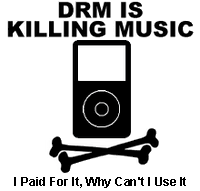
What all the fuss over DRM !?!


So I had a conversation with a co-worker today about sharing music and it reminded me of the daddy over at Apple.

Steve Job’s earlier this month called for the world's largest record companies to start selling songs online without copy protection software (see the BBC if you’re interested).

If you are a consumer of movies, music or digital content in general you should care.

First up, what is DRM???

What is it?

  • DRM stands for Digital Rights Management
  • It’s a system that restricts how, when and where you can listen to music and soon will include movies

What’s all the fuss about?

  • Consumers like you and me like to “do what we do” with our music
  • The problem is today we all can make near perfect copies of music and videos, and distribute them over a broadband connection in a couple of minutes or over several hours
  • Without restrictions on copying, content providers like the RIAA or studio houses say they could go out of business (yea right!)


Why should you care?

  • There is no single DRM standard
  • Apple has their own and Microsoft has their partners (see playforsure)
  • If you purchase content on iTunes you can only play it on an iPod or a Mac computer. That sucks if you are like me and use a PC at work and a Mac at home (I miss my library!)
  • Even worst yet, if you for some reason decided to buy a Zune there are time restrictions for play…say 3 days for a song or 24 hours for a downloaded movie
  • None of these thing make for a desirable experience


What does it all mean?

  • Once again our angelic leader at Apple comes off looking like the hero
  • If he wins out, we get to freely swap music and movies
  • If he doesn’t he comes off looking like the consumers knight in shining black sweater vest


Food for thought…sound off here…

The Blackberry is Crack


Sometimes we can become device dependent and this is a sad, sad case of tech taking over our lives. There are actual studies that have linked the internet to an actual addiction and this video is exhibit A

Friday, February 9, 2007

Pipes and Tubes

Yes the internet is a series of pipes and tubes and Yahoo takes that quite seriously. Yesterday they launched a service called Yahoo! Pipes.

It’s received quite a bit of traffic and went down for part of day due to the excess traffic to the site.

What is it?
It’s a service that allows you to create your own mashups

How does it work?
It provides a drag and drop editor that lets you find data sources and combine feeds in different ways

What can I do with it?
The service is social, in that you can have an avatar, view all mashups from a certain user and even edit existing mashups to create something new

The editor is pretty slick, using ajax-like technology, rather than Flash and shows actionable modules that are connected by lines.

It’s quite cool and may even be useful if you want to like viewing NYTimes articles with relevant images on Flickr or getting aggregated news alerts from Google, MSN, Findory, Bloglines and Technorati