Showing posts with label Apple. Show all posts

Friday, September 18, 2009

How to fix your iTunes library with TuneUp

I have an iPhone and iPod and naturally I use iTunes to manage my music library through these devices. I am a neat person but for some reason until some week ago a lot of my tracks was mislabeled, without the album cover, hard to find and I didn't have the patience to fix them manually. So I searched for a solutions and I found TuneUp a great application for Mac and Windows that helped me clean and maintain neat my iTunes library searching for missing or inaccurate ID3 tags in my mp3 files. I bought a license some and the result has been really impressive.

TuneUp docks on the side of iTunes to make organizing your music easy. The only thing you have to do is to drag the track you want to fix into the TuneUp sidebar and the application fixes automatically your mislabeled music.

The Cover Art feature automatically searches your entire music collection for music files that are missing album artwork and fixes them. Cover Art lets you review all matches before the album art is saved to the file. Or you can take our first pick and "Save All." Now you can navigate iTunes using Cover Flow the way it was meant to be used.

Here is a screenshot of my iTunes library (click to enlarge)


TuneUp also enhance your listening experience with the Tuniverse feature that supplies you with the best music content on the web that's directly related to the track you're currently listening to in iTunes.

You can also stay tuned with the latest news of your favorite artists and buy tickets in just one click with the Concert feature.

TuneUp is available in two different options: a lifetime ($29.95) license or yearly license (price $19.95). You can also try a free version that cleans 100 songs and 50 album covers. I suggest you to try it!


Setup your PHP and MySQL environment on your Mac using MAMP

Sunday, January 25, 2009

Why netbooks can kill MacBook Air

Longtime I was looking for an ultra portable alternative to my iMac to use mostly when I am not at home. My first intention was to buy a MacBook Air: great design, great quality... but also "great" price. Some week ago a friend of mine suggested to me to take a look at some Netbooks, in particular at the Compaq Mini, and I remained really impressed by this litte jewel. So, yesterday I decided to buy it.

First impressions: I can say the Compaq Mini is not a simple low-cost pc (399 EUR versus 1.699 EUR of a MacBook Air!) to use only to connect you to the internet. Compaq Mini is a powerful netbook you can use to do everything you do with your primary desktop PC or notebook. These are some of main characteristics:

- Processor 1.6GHz Atom N270
- 1GB RAM
- 60GB drive
- 1,024 x 600 display
- Bluetooth
- WiFi
- Integrated webcam
- Built-in microphone
- Windows XP

The first impression is to have a "micro" PC with all features of a normal notebook or desktop PC. You can use all your preferred applications such as Dreamweaver, Photoshop, Excel, Word, Outlook... without problems. The display is very clean and luminous, perfectly readable. This is a screenshot of my desktop:


Take a look at the full size picture

Let me do this little clarification: price difference between Compaq Mini and MacBook Air is obviously motivated by a lot of factors. But if you are just looking for a portable alternative to your primary computer... I think a MacBook Air is very too expensive, considering you can have "same" functionalities with a considerably lower price in a low-cost pc.

Applications: In these hours I'm stressing my new netbook working with some applications I often use in my work and to update my blog with new posts and tutorials. I installed old versions of Photoshop and Dreamweaver (Photoshop CS and Dreamweaver 8) I used some year ago to design websites, and Microsoft Office 2007 which I bought in order to use it on my iMac with a version of Windows XP I never installed :). System response is awesome. You can work with Dreamweaver 8 and Photoshop CS at the same time without problems.


I'm writing this post on Blogger using Internet Explorer 8 and at the same time using Photoshop to modify images and Media Player 11 to listen music from a web radio. I am not noticing any slowdown or delay.


Take a look at the full size picture

Microsoft Office 2007: It's a pleasure to use Office applications in this little netbook. Word, Excel and Outlook work perfectly. If you prefer to use open source alternatives try OpenOffice, but if you have Microsoft Office I suggest you to install and use it. It's without doubt the best office suite in circulation and is not so "heavy" to compromise system performances.


Take a look at the full size picture

Mobile Phone integration: integration with Mobile Phone is very simple. I'm using ActiveSync 4.5 to syncronize contacts, messages, activities and everything with my Samsung SGH-i780 mobile phone which I also use to connect me to internet (if there is not a Wi-Fi hotspot available), and browsing the Net with the same speed of an ADSL connection. In this way I can work to my blog, talk with my friends using Skype, take a look at my banking account and make a lot of other things in every place where I am.

After all, Compaq Mini is an ultra portable and convenient alternative with a killer price to carrying your primary notebook PC everywhere you go. If you want to know more info about this little jewel I suggest you to take a look at the HP official page.

Sunday, January 4, 2009

How to create an awesome eBook Template using Word or Apple Pages

Today I received some requests about The Woork Handbook template I published yesterday. Some readers asked to me to distribute that template for their eBooks. So in this post I want to illustrate some guidelines to create an awesome eBook template, quickly and in few steps.

I prepared the template which you can download (for Apple Pages and Microsoft Word) and reuse it for your eBooks (I used Apple pages to write the eBook!).

Download Apple Pages template Download Microsoft Word template


eBook Format
You can print the eBook on A4 format page (2 pages for each facade). This is the screenshot:


Document structure
The document is divided in sections. Each section is a chapter. Use "section break" to separate each chapter in this way:


Adding a section break:

- Apple Pages: Insert > Section Break
- Microsoft Word: Insert > Break > Section break (next page)


Page header
This is a not necessary element but i like have a short description in the header of the my pages. It's a simple text on top of your page with above a line which separete the header from the rest of the page:


In general "page header" isn't placed on the first page of the chapter:

- Apple Pages: select layout button on the inspector and flag the option: First Page is different.


- Microsoft Word: double click on the page header and select different first page from the header/footer toolbar.


Chapter structure using document styles
When you work with a text document (using Word, Apple Pages, OpenOffice...), a very good practice is to define your custom styles for the elements of your pages. In this way, every time you decide to modify the look of an element (for example "chapter title"), it will be update automatically in all elements of your document which use that style. For example take a look at the following picture which represents a generic chapter structure:


We have the following elements with related styles:

Chapter title -> Heading 1
Article title -> Heading 2
Paragraph header -> Sub header paragraph
Normal text -> Body
Code box -> Code
Footnotes -> Notes
Article footer -> Small header + small body

You can define your custom style in this way:

- Apple Pages: View > Show Style Draver and then selecting a style and modifying style properties, or creating a new style.
- Microsoft Word: Format > Style and then selecting a style and modifying style properties, or creating a new style.

Note: I used Qlassik font for the title of chapters and articles. You can download it here. In this version of template I used Arial in case you don't have Qlassik font.


Table of contents
Adding a TOC it's very simple:

- Apple Pages: Insert > Table of content.
- Microsoft Word: Insert > Document element > Table of content

Your TOC will be updated automatically every time you add a new content in your document but (this is really important!) you have to use style elements created for the chapter title and article title (Heading 1 and Heading 2).

It's all! I hope this template can help you to prepare quickly your eBook.

Every suggestion is appreciated :)

Note: I used Apple Pages to create my eBook, and I simply converted Pages template for Word. I experienced there are some litte problems with formatting which you convert a document in Word from Apple Pages... tell me if you have them!

Tuesday, November 18, 2008

Sync Windows Mobile devices with your Mac

It was long time that I was looking for a good tool for synchronizing my Samsung device (Windows Mobile 6 based) with my iMac. Finally I found SyncMate, a great application which helps you to sync your Mac with your Windows Mobile devices for free.

SyncMate is a free useful tool for synchronizing Windows Mobile devices with you Mac. Free Edition provides basic sync features for applications like Address Book, iCal, and the possibility to read SMS directly from your Mac. This is an screenshot of this application:


You can also buy an Expert Version of SyncMate with advanced sync features for iTunes, Internet Explorer, iPhoto, Mail, Notes...

I suggest you to try it. It's absoultely useful.

Download SyncMate

Wednesday, February 20, 2008

Install PHP and MySQL environment on your Mac using MAMP

Prepare your Mac to develop PHP applications with a click, using MAMP.

I often receive this question from some readers of mine: "what's the most simple way to install a PHP / MySQL environment on a Mac OS X?" I think the best way is using MAMP (an abbreviation for Macintosh, Apache, Mysql and PHP), a free application which configure a localserver (just with a click of your mouse) and all you need to work with PHP and MySQL.


Install is very simple and immediate and it works well on Tiger and on Leopard. MAMP also includes phpMyAdmyn and SQLLiteManager to manage easly all your MySQL databases.

Links
MAMP official site

Monday, February 4, 2008

My experience switching from a PC to a Mac

More then a year ago I was looking for a small notebook to substitute my old HP Pavilion notebook and, after some afterthoughts, I decided to switch from a PC to a Mac so I bought a MacBook (white) in an Apple Store in Rome.

This is my experience switching from Windows-based system to a Mac.


First Impression (vote: 8)
My parents bought me my first PC on 1992 and sice that moment I used all Windows versions, from 3.0 to Vista. So when I turned on my new MacBook, I admit it, the first impression has been not too enthusiastic. Yes... beautiful interface, fast response but honestly not so immediate for an "new-ex" Windows user.
Two hours after, I was completely addicted from the simplicity and extraordinary usability of Mac OS X Tiger (and now Leopard)!

Spotlight instant search (vote: 10+)
I 've never used search feature in Windows XP and, I think, I am not the only one. Be honest: it's an unserviceable functionality. An user can't spend more then ten minutes to find something on your PC! If I wanted to find easily some documents, the only way was to maintain organized my documents folder or use Google Desktop or Windows Desktop Search to have the "illusion" of a suitable search function on my Windows XP system. I have to say Microsoft has done big steps improving search feature in Windows Vista but search results are still not so accurate especially if you are searching for some text into your documents.
The situation is totally different in a Mac. With Spotlight you find exactly what you are searching for (applications, documents, text into a document, contacts, e-mails...) and search results are accurate and almost instant.

Using Microsoft Office 2004 and OpenOffice (vote: 4)
I daily use Microsoft Office 2003 / 2007 (on Windows XP/Vista) in my work, mainly to manage and design complex Excel files or integrate them with Access data. I believe, without doubt, it represents the state of the art if compared to other similar alternatives available on Windows. I can't say the same for Microsoft Office 2004 for Mac which is a very bad conversion of the office suite available on Windows. Working with Excel is frustrating and Word crash frequently when you add or modify tables. So I downloaded and tried OpenOffice but the impression hasn't been good and I decided to remove it. Now, I use Pages instead of Microsoft Word and Google Spreadsheets or Editgrid to manage (not for my job...) Excel files, waiting for the new Office Mac Version (2008)...

Using Apple Pages (vote: 9)
I like Pages. It's more then a powerful word processor. It is a "fusion" between Microsfot Word and Publisher with a simple and clear interface and also includes several useful features (you don't find in Microsoft Word...), such as executing basic operations between table's cells like if they was cells of an Excel spreadsheet.

Using Dreamweaver (vote: 8)
I didn't find big differences using Dreamweaver switching from Windows to Mac. Perhaps Mac version it's a little slower then Windows version but it mantains the same distinctiveness which do Dreamweaver the best software available to design and programming web sites in any language.

Forgot "essential" Windows software (vote: 10+)
Using Windows, I spent much time on download.com web site looking for new software to improve system security and performance (Ad-Aware, Norton updates, AVG antivirus, Spybot, Spyware doctor, Avast, Zone Alarm, Registry optimizer, defrag utilities, Diskeeper... the list is very long...). Using a Mac I forget antivirus software and all other "essential" Windows software to improve system performance.

iTunes (vote: 10+)
I've never liked iTunes on Windows XP. It is slow and crash frequently. So when I find iTunes icon on OSX dock bar I started to use it with some hesitation mainly because I didn't have found a good alternative like Media Player 11. But after some days I changed totally idea. iTunes for Mac is not the same software I used with Windows. Nothing to say: extraordinary. The best software I never seen and used to manage music, videos and podcast.

Mail and Safari (vote: 9+)
The best web experience I never done. Nothing to add!

Conclusion
Ok... then: "Mac yes or not?".
I think if you are a Windows user and you need to use mainly Excel and Access (with complex interactions between them and VBS macros) or other Windows-only-based software, switching to a Mac couldn't be a good idea. But if you are a web designer, a musician, a simple home user or you don't need strictly Widnows-based software, think to switch to a Mac. In any case, I suggest you to go to an Apple Store and take a look in person to the Apple product you want to buy in order to do a more conscious choice!

Sunday, February 3, 2008

XTorrent: torrent manager for mac

XTorrent is the best torrent manager / file sharing sofwtare for mac. Easy to use and with a simple interface.

If you are a Mac user and you are searching for a good .torrent software, I suggest you to take a look at XTorrent. I think it's the best .torrent manager for mac: fast, simple and with a nice interface iTunes-like.


You can download the full program here from the official site (only 3.8 Mb).

Thursday, February 22, 2007

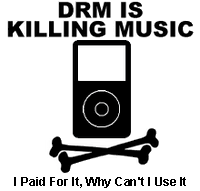
What all the fuss over DRM !?!


So I had a conversation with a co-worker today about sharing music and it reminded me of the daddy over at Apple.

Steve Job’s earlier this month called for the world's largest record companies to start selling songs online without copy protection software (see the BBC if you’re interested).

If you are a consumer of movies, music or digital content in general you should care.

First up, what is DRM???

What is it?

  • DRM stands for Digital Rights Management
  • It’s a system that restricts how, when and where you can listen to music and soon will include movies

What’s all the fuss about?

  • Consumers like you and me like to “do what we do” with our music
  • The problem is today we all can make near perfect copies of music and videos, and distribute them over a broadband connection in a couple of minutes or over several hours
  • Without restrictions on copying, content providers like the RIAA or studio houses say they could go out of business (yea right!)


Why should you care?

  • There is no single DRM standard
  • Apple has their own and Microsoft has their partners (see playforsure)
  • If you purchase content on iTunes you can only play it on an iPod or a Mac computer. That sucks if you are like me and use a PC at work and a Mac at home (I miss my library!)
  • Even worst yet, if you for some reason decided to buy a Zune there are time restrictions for play…say 3 days for a song or 24 hours for a downloaded movie
  • None of these thing make for a desirable experience


What does it all mean?

  • Once again our angelic leader at Apple comes off looking like the hero
  • If he wins out, we get to freely swap music and movies
  • If he doesn’t he comes off looking like the consumers knight in shining black sweater vest


Food for thought…sound off here…

Thursday, January 11, 2007

iPhone Analysis


I've spent some time considering the implications of how the iPhone will make our lives easier come the June release.

It seems to me that the iPhone will eventually make our digital lives ubiquitous finally bringing together our desktop experiences with our ever growing on-demand culture.

The promise of the iPhone makes consuming entertainment more likely on the mobile platform, furthering the adoption of mobile broadband and download services. Truly, lots of opportunities seem present both for companies and consumers alike… but in reality for the iPhone to succeed lots of things will need to happen first...

MobileCrunch provides some insight on what is need to catapult Apple's status in the mobile space. They outline 10 things necessary to ensure the viability of the product.

The Bottom-line:
Apple will need to ship with 3 batteries in-box, but long-long term they have a chance of success

1) Market share:
1% global market share or 8 million phones in 2008 is NOT feasible. Even with subsidies, this product cannot compete in a year’s time in EMEA and Asia. Those markets are crucial to making the numbers, not to mention the fact that the Cingular deal will delay the CDMA launch to cover all US carriers and compete with the big manufacturers.

2) Profitability:
This is all about reaching economy of scale which will not happen until 10% of the global market is captured, please note that the PC market is different as it is more a software than a hardware play.

3) Brand:
Apple has great brand preference with enormous growth potential outside the current brand territory like PC’s and iPod’s.

4) Design:
Marvelous design! Looking at the N800, Apple has not reinvented the phone, nevertheless certainly made the design leap ahead of the competition.

5) Thin:
Great size, however the 3G engine will need more space which will make the product fatter and please make sure you’re close to a charger.

6) Radio Technology:
Apple does not have the radio technology necessary to compete in the premium smart-phone segment, note the lack of 3G. Most companies which lacked radio technology have failed over the years like the Japanese manufacturers in GSM in the late nineties.

7) R&D:
Giants like Nokia and Motorola spend close to $10 billion annually on R&D which makes it hard for Apple to compete in this new field with a lot of technologies crossing the chasm every day.

8) Price:
In a certain price category, a product needs to compete on both the premium brand, design as well as the features. Apple’s feature list sounds impressive compared to the other phones on the market in the US, however, would compare to second or third tier manufacturers in Europe and Asia. Before moving down in price and start roaming the mass-market, Apple needs to win the high-end and become profitable.

9) Battery Life:
Knowing the battery life of the ultra-thin smart-phones like the Black Jack which is shipped with two batteries in-box, with Wi-fi, Apple would need to ship with 3 batteries in-box or wait for the fuel-cell breakthrough.

10) OS:
OSX is not developed from the ground up for smartphones like Psion/Symbian was. This means that Jobs “killer app is making calls” is probably not as well integrated with the iPod and the PIM functionality as it should have been the case, Wifi and BT will drain the battery and only a very fast and expensive processor might be able to cater for a fast-working UI.

Never the less, Apple has made great strides in building demand for a product that promises to change the mobile experience. I'm looking forward to see if Apple can deliver.

Original Post: MobileCrunch